Digitizing Field Notes
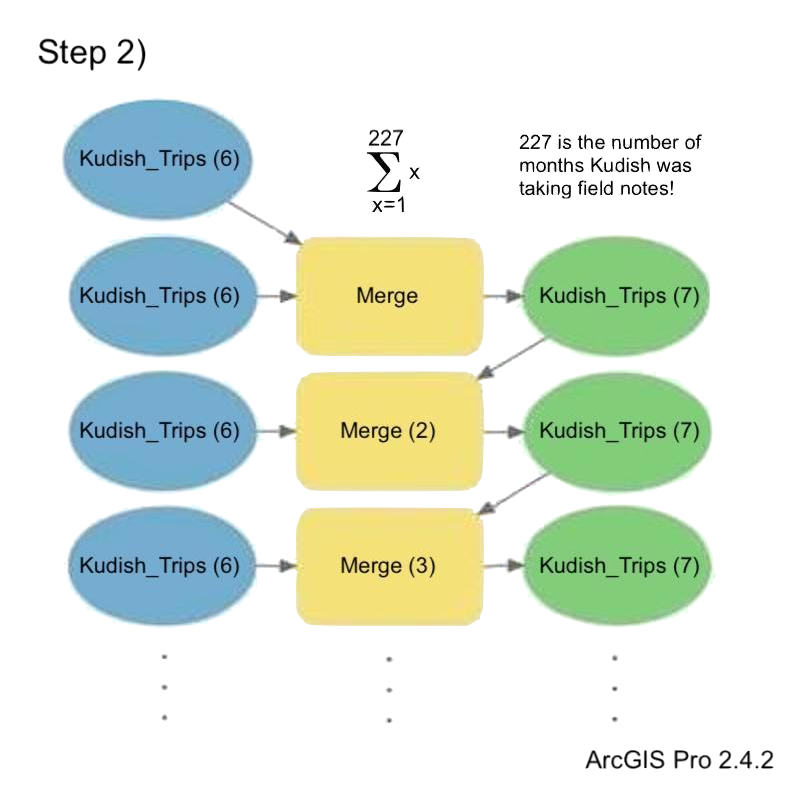
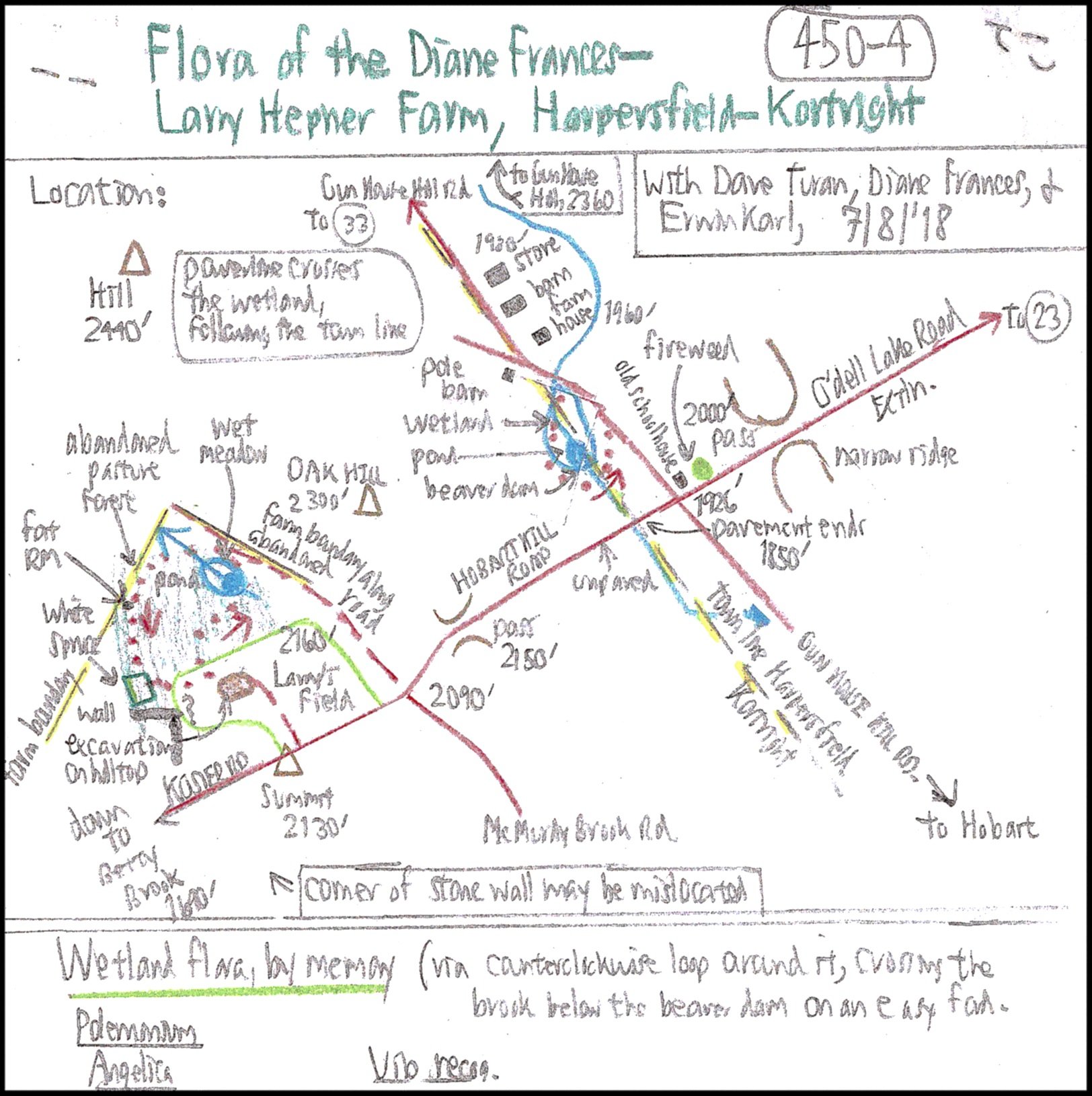
In 2020, I scanned over 3,000 pages of field notes written by retired Paul Smith’s College forestry professor Michael Kudish. These notes primarily feature hand-drawn maps accompanied by lists of plant species recorded throughout the Catskills, New York, since the 1960’s. Leading a team of students from the University of Vermont, we were able to digitize all species mentioned for 72% of the field notes.

ArcOnline Map
Creating a “Kudish Codes” Conversion Table
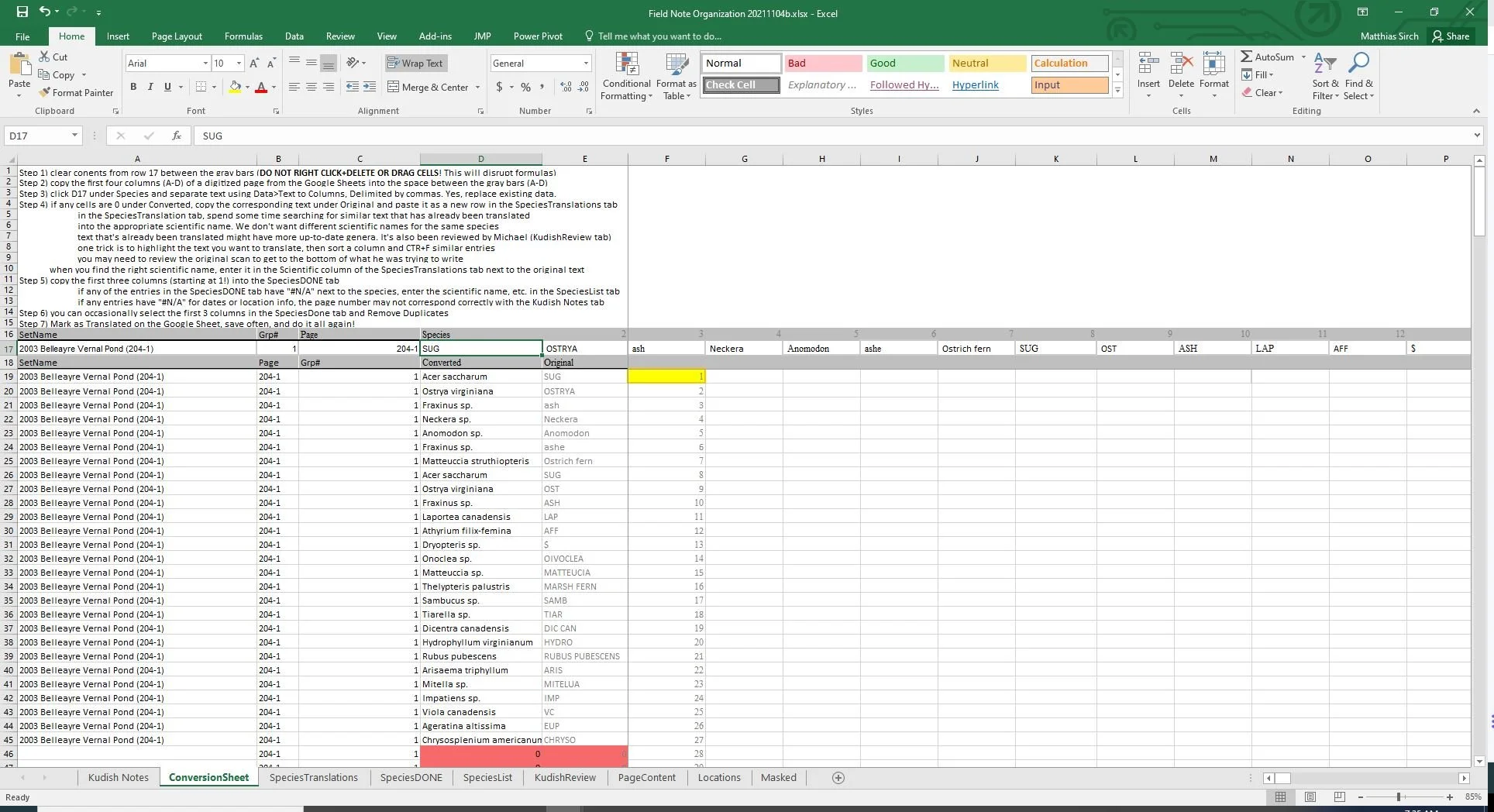
I paste transpose comma separated species codes identified in the field notes into row 17, as explained in the instructions above
The formula removes the space in front of any species code (from a comma and space separated list)
We will then VLOOKUP the entry in row 17 to see if we’ve already written the code in the SpeciesTranslation list
If we haven’t, it will return 0 and show up red
After entering in any new species codes and their matching species names, the species name will show up in column D
=IFNA(VLOOKUP(IF(LEFT(SpeciesCode,1)=" ",RIGHT(SpeciesCode,LEN(SpeciesCode)-1),SpeciesCode),SpeciesTranslations!$A:$B,2,FALSE),0)
SpeciesCode = how a species was written on the field notes (e.g. SUG, OSTRYA, ash, Neckera, etc.)
SpeciesList and SpeciesTranslation Tables
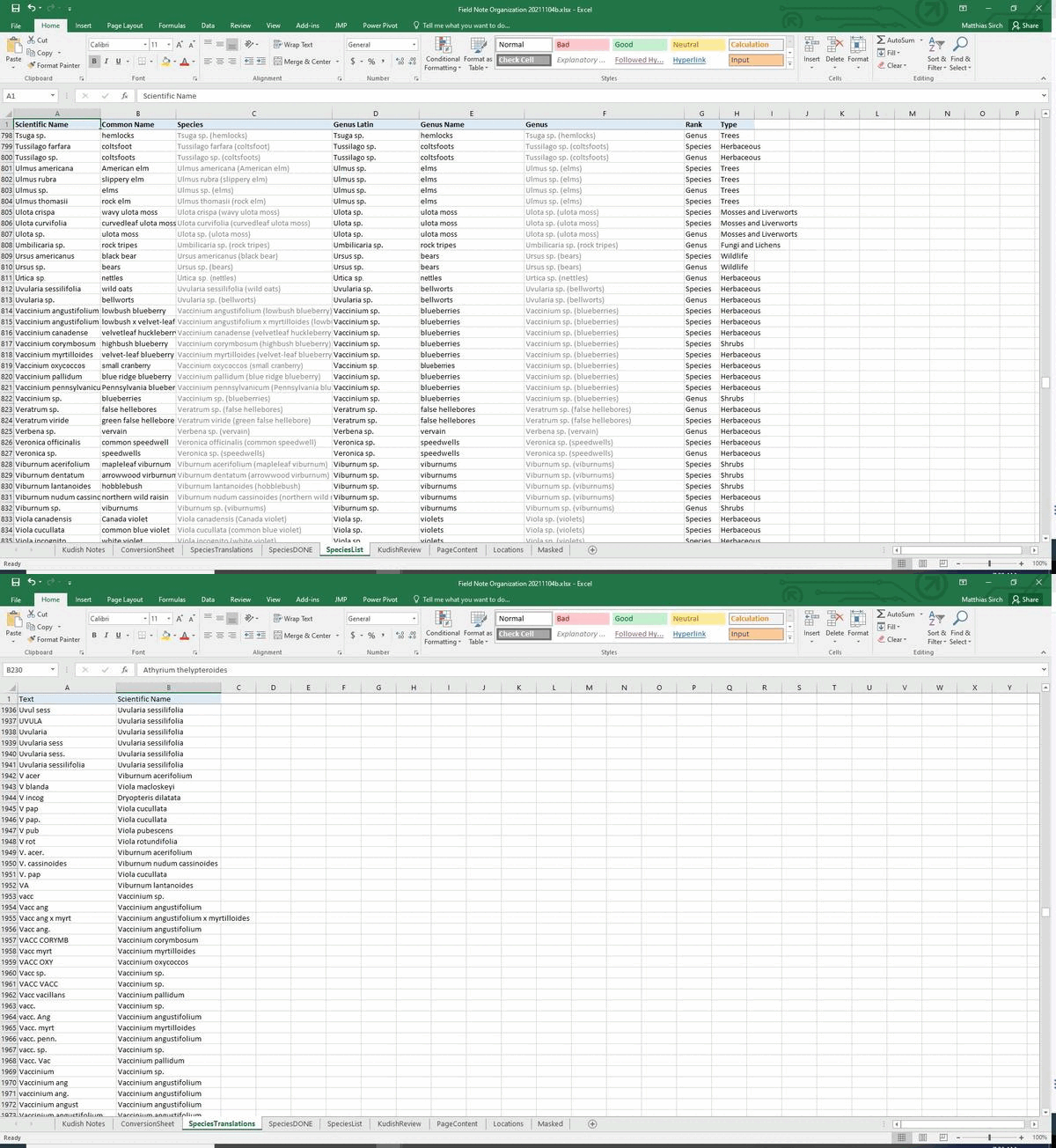
6 second gif
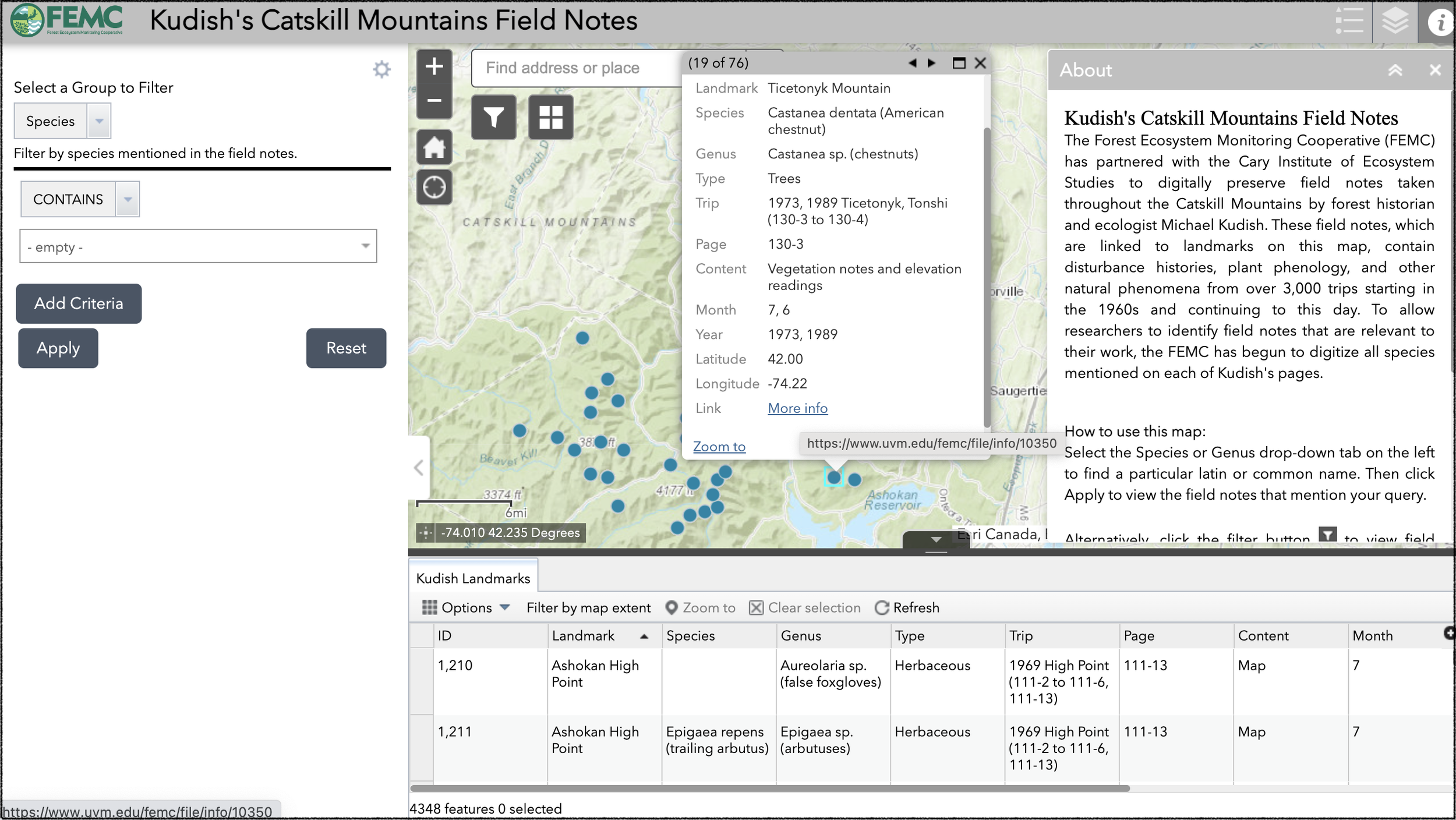
Finally, we bring it all together in a spreadsheet (SpeciesDone) that can be exported and serve as a reference layer for the ArcOnline map. With an FEMC Archive link in the spreadsheet, the user can select a location or filter by species and view the field notes archived with those criteria.
SpeciesDONE
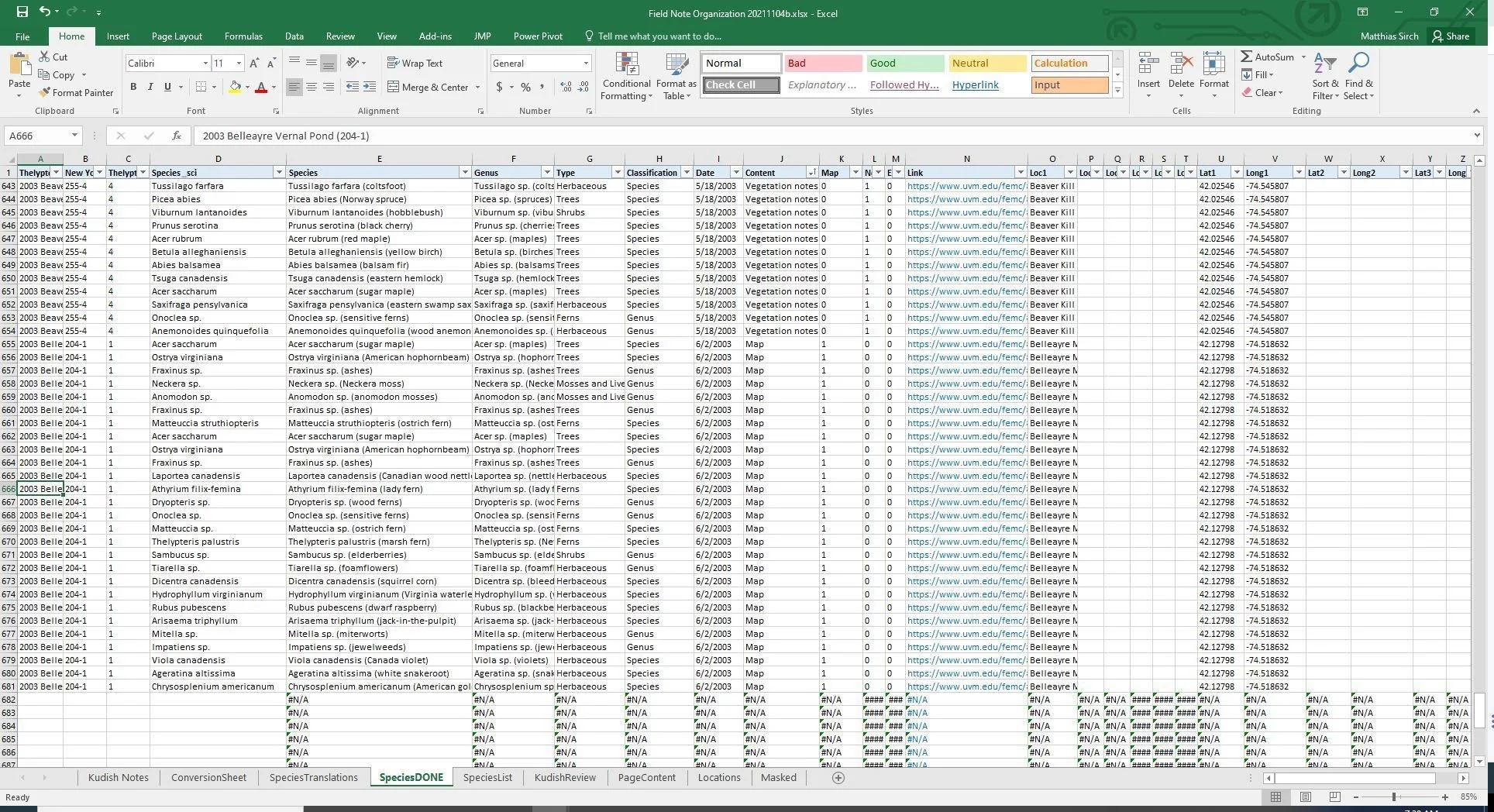
Sample formulas from the SpeciesDONE tab:
=VLOOKUP(CR,SpeciesList!$A$2:$H$1004,3,FALSE)
=VLOOKUP(CR,'Kudish Notes'!$G$2:$O$111061,7,FALSE)
=VLOOKUP(CONCATENATE("*",KR,LR,MR6),PageContent!$A$2:$B$9,2,FALSE)
=IF(VLOOKUP(CR,'Kudish Notes'!$G:$Z,19,FALSE)=0,"",VLOOKUP(CR,'Kudish Notes'!$G:$Z,19,FALSE))
C = given column
R = given row
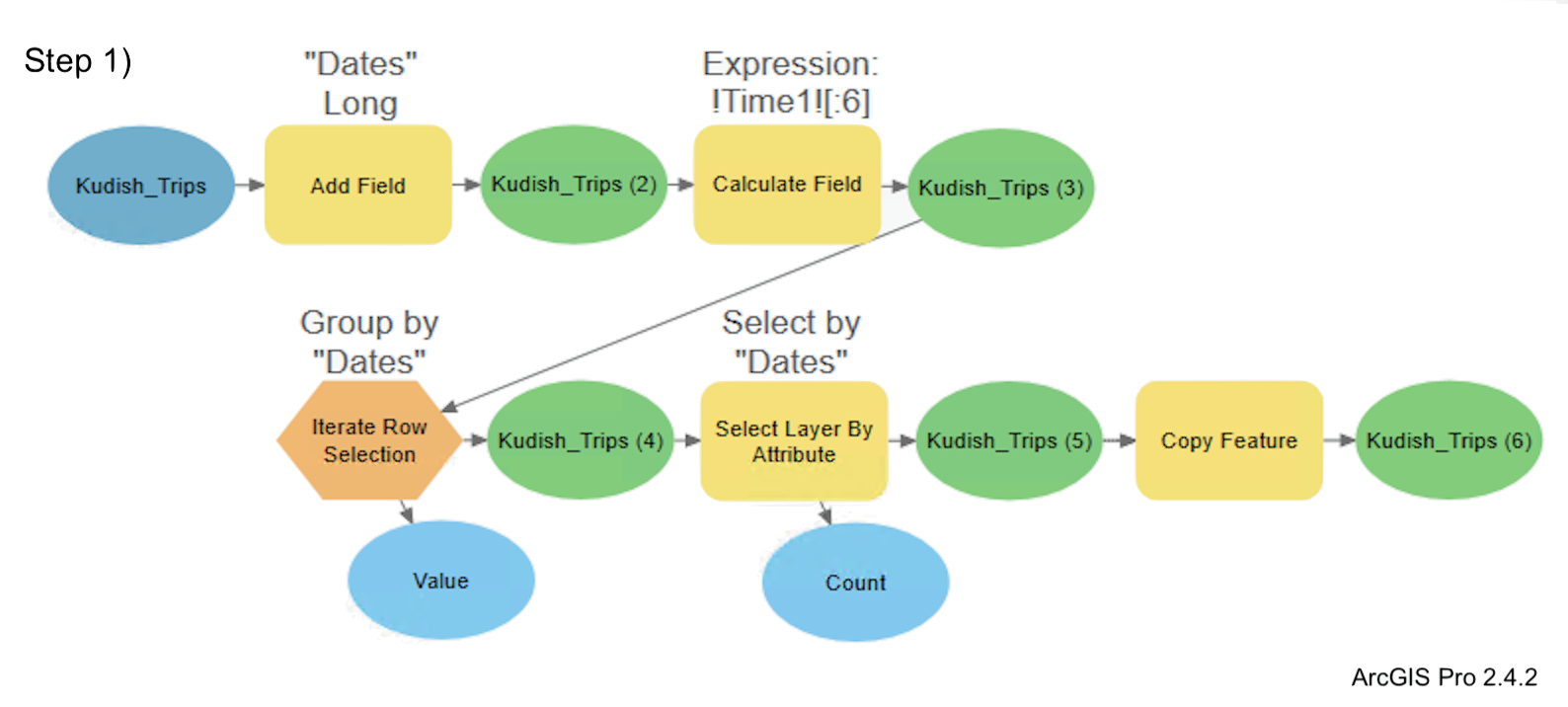
Creating the Kudish Trip Visualization